Developing Charisma Onboarding: A Professional Screen Bundle for Persuasive Design
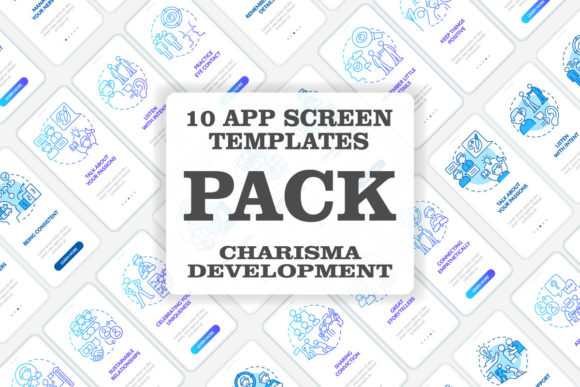
When tasked with creating a mobile app that feels welcoming, intuitive, and compelling, the onboarding process is your critical first impression. Developing Charisma Mobile App Screens is a specialized collection focused on this exact moment—a bundle of UI screens designed to guide users into your app with clarity and confidence. For designers, entrepreneurs, and developers, this resource offers a structured starting point to build an engaging entry point without reinventing every element from scratch.
Why Onboarding Screens Are More Than Just Instructions
Many treat onboarding screens as a simple series of graphic instructions or linear concept walkthroughs. This misunderstanding leads to a common mistake: viewing onboarding purely as a functional necessity. The result is a dry, transactional experience that users swipe through quickly, often missing the core value proposition of your app. The Developing Charisma bundle recognizes that onboarding is a foundational part of your app's personality and user experience (UX). It’s where you establish trust, demonstrate usability, and begin building user loyalty.
Consider a typical approach: three static screens with bullet points about features, using mismatched fonts and icons. This feels generic and forgettable. A better approach, supported by a cohesive template like this bundle, integrates visual storytelling. The use of Myriad Pro-Bold and Regular fonts, for instance, creates a consistent typographic hierarchy that feels professional and guides the eye smoothly. It turns a mandatory step into an opportunity for connection.
Overlooking File Format Flexibility and Its Impact on Efficiency
Another detail often glossed over is the practical implication of the included product file formats: EPS, SVG, PNG, JPEG, and AI. Beginners might gravitate immediately to the familiar PNG or JPEG for quick placement, but this can lock you into fixed resolutions and make later edits or scaling a headache. Professionals know that starting with the vector files (SVG, EPS, AI) is crucial for true flexibility.
If you use a low-resolution PNG in a prototype and later need to adapt the screen for a different device size, you’ll face quality loss and extra work. This directly affects project cost and timeline as you scramble to find replacements or recreate assets. The practical advice is simple: always begin your work with the vector source files. Even if you’re not a vector editing expert, having them means your collaborating designer or developer can make seamless adjustments, preserving the quality of your icons and interface graphics throughout the app's evolution.
Integrating Templates Without Sacrificing Originality
A bundle of mobile app screen pages is a powerful shortcut, but a critical mistake is using it as a final product rather than a starting template. Some download such collections, change the colors, and deploy them unchanged. This leads to an app that feels templated and indistinguishable, harming its market presentation and user satisfaction.
The Developing Charisma screens provide a structured UI and GUI template for the onboarding flow—the wireframe of a good conversation. Your job is to infuse it with your brand’s voice. Use the established layout for the walkthrough steps, but customize the illustrations, modify the icon set to match your app’s function, and tailor the copywriting to speak directly to your audience. This blend of proven structure and unique character results in an onboarding experience that feels both polished and personal.
What to Check Before Using Any Screen Resource Bundle
Before making a decision to utilize this or any similar collection, pause and assess a few key points. First, examine the scope of the bundle. Does it cover the specific screens you need? This set focuses on onboarding, so ensure your project requires a strong introductory sequence. Second, verify the compatibility with your tools. The inclusion of AI files is excellent for Adobe Illustrator users, but if your team works primarily in Sketch or Figma, confirm that the SVG formats are clean and easily importable.
Finally, think about the long-term value beyond the immediate project. BSD Studio’s model of offering new topics and discounts every week suggests an ongoing resource. Subscribing to be updated can be a smart move if you regularly need fresh infographic templates, icons, or brochure designs, turning a single purchase into a continuing design asset library.
Moving Beyond Linear Onboarding: A Dynamic Approach
The bundle presents linear concept pages, which are excellent for straightforward apps. However, a more advanced mistake is applying a rigid linear flow to a complex application. For a multifaceted tool, forcing users through five fixed screens before they can explore can create frustration. The better approach is to use these screens as modular components. Perhaps you only show the first two core concept screens to all users, then use conditional logic to present specialized instruction pages based on the user’s selected interests or goals.
This dynamic application of the template respects the user’s time and intelligence. It leverages the professional design of the screens from the Developing Charisma collection while adapting the UX logic to be more efficient and user-centric. The goal is always to guide, not to gatekeep.
Building a Complete Experience from a Strong Foundation
Ultimately, resources like the Developing Charisma Mobile App Screens bundle exist to elevate your starting point. They help you avoid the poor decisions that stem from a blank canvas—inconsistent fonts, weak visual hierarchy, and inefficient asset management. By providing a curated set of elements built around a clear purpose (charismatic onboarding), they channel your energy into customization and refinement rather than basic construction.
For the marketer, blogger, or small business owner overseeing an app project, this means you can communicate a more professional vision to your design team. For the freelancer or hobbyist building an app independently, it means gaining time and confidence. Use such collections wisely: as a foundation of best practices in UI and UX, ready to be built upon with your unique insight, content, and brand charisma. That combination is where truly engaging mobile experiences are born.