Modern Healthcare Management: Navigating Challenges with Mobile Application Solutions
The landscape of healthcare administration is increasingly complex, burdened by logistical hurdles, communication gaps, and stringent compliance requirements. In this digital era, Healthcare Management Issues Mobile Apps have emerged as pivotal tools, transforming cumbersome processes into streamlined, accessible workflows directly from smartphones and tablets. These applications are not mere digital replicas of paper forms; they are intelligent systems designed to address specific pain points in patient coordination, staff management, data handling, and service delivery.
The Core Challenges in Contemporary Healthcare Administration
Before examining the technological solutions, it is critical to understand the persistent issues these apps aim to solve. Healthcare management encompasses a vast array of tasks: from patient onboarding and scheduling to inventory tracking for medical supplies, internal communication among multidisciplinary teams, and maintaining accurate, secure records. Common hurdles include fragmented information systems, high administrative overhead leading to staff burnout, delays in patient care due to procedural bottlenecks, and the constant risk of human error in data entry. These challenges not only affect operational efficiency but ultimately impact patient outcomes and satisfaction.
How Mobile Applications Redefine Administrative Workflows
Mobile apps introduce a paradigm shift by placing management tools in the palm of one’s hand. Their inherent advantages—portability, instant connectivity, and intuitive touch interfaces—make them uniquely suited for the dynamic healthcare environment. For instance, a nurse can update a patient’s vitals directly into the system while at the bedside, a manager can approve supply orders from any location, and a new patient can complete preliminary forms remotely before even arriving at the facility. This real-time, on-the-go capability collapses traditional delays and centralizes information.
Critical Components of an Effective Healthcare Management App Interface
The success of such an application hinges entirely on its user experience (UX) and graphical user interface (GUI). A poorly designed screen can lead to confusion, errors, and rejection by staff and patients alike. Therefore, the design process focuses on clarity, efficiency, and adherence to clinical workflows.
Strategic Onboarding: The First Touchpoint
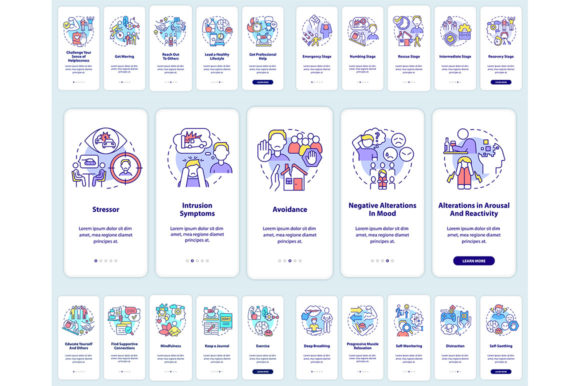
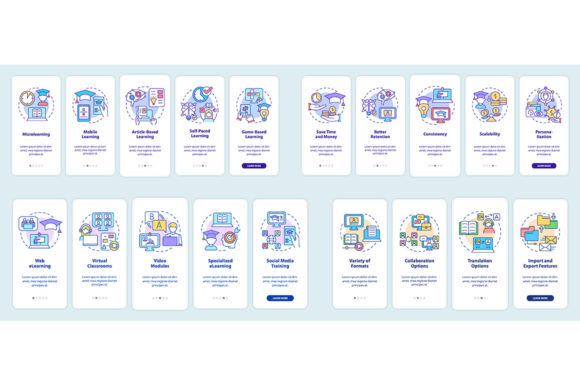
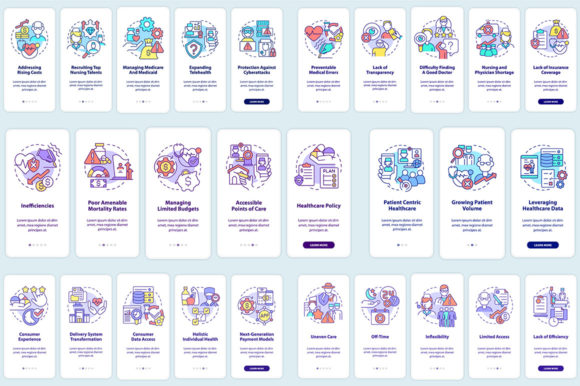
The onboarding mobile app screen set is perhaps the most crucial sequence in the entire application. It serves as the gateway for new users, whether they are patients registering for services or staff members learning the system. A well-structured onboarding process employs walkthrough steps graphic instructions pages with linear concepts. This approach guides the user through a clear, step-by-step path, explaining each function and requirement without overwhelming them. For a patient, this might mean sequentially presenting: 1) identity verification, 2) medical history input, 3) consent form signing, and 4) appointment selection. Each screen builds upon the previous, using consistent visual cues and minimal, essential text.
Effective onboarding screens often utilize a combination of clean icons, progressive forms, and reassuring confirmation messages. The visual language must communicate trust and professionalism. Typography plays a key role here; fonts like Myriad Pro-Bold for headings and Myriad Pro-Regular for body text offer a modern, legible, and authoritative aesthetic that enhances readability across devices.
Dissecting the UI and UX Template for Management Functions
Beyond onboarding, a comprehensive healthcare management app requires a template that supports diverse daily tasks. This template dictates the layout, navigation, and interactive elements for screens dealing with dashboards, scheduling calendars, inventory lists, messaging modules, and report viewing.
A strong UI template prioritizes information hierarchy. Critical alerts or pending tasks should be visually prominent, often using color coding or placement at the top of the screen. Navigation should be simple, often relying on a bottom tab bar or a hamburger menu for access to core modules. The UX must account for varying user roles: a doctor’s primary dashboard might highlight patient lists and lab results, while an administrator’s view focuses on resource allocation and staffing levels. The template must be flexible enough to accommodate these personalized workflows without feeling cluttered or disjointed.
The Role of Icons and Infographic Elements
In a high-stakes, fast-paced environment, users cannot afford to decipher complex text labels repeatedly. A well-designed collection includes a set of mobile app screens that employs universal, clear icons. A calendar icon for appointments, a person icon for patient profiles, a syringe icon for inventory—these visual shorthand symbols accelerate recognition and interaction. Furthermore, for presenting complex data like monthly patient intake statistics or vaccine inventory levels, integrating simple brochure infographic templates within the app can transform raw numbers into understandable charts or progress bars, enabling quick, informed decision-making.
From Design to Deployment: File Formats and Asset Creation
The creation of these digital tools involves meticulous design work translated into specific technical assets. Designers and developers collaborate using a suite of product file formats to ensure quality and scalability. Vector formats like EPS and SVG are essential for icons and interface elements, as they scale perfectly to any screen resolution without loss of quality. For realistic mockups and presentations, raster formats like PNG and JPEG are used. The original design work often occurs in software like Adobe Illustrator, saved in the AI file format, which preserves editable layers and vectors for future modifications. This multi-format approach ensures the final app maintains visual integrity across the myriad of devices used in a healthcare setting.
Implementation Considerations and Real-World Adoption
Introducing a new mobile application into a healthcare organization is a significant change management project. Success depends not only on the app’s design but on factors like integration with existing legacy systems (like Electronic Health Records), stringent data security and HIPAA compliance measures, comprehensive staff training programs, and ongoing technical support. The app must be perceived as a helpful tool, not an additional burden. Therefore, its rollout should be phased, accompanied by clear communication about how it solves specific, known problems—such as reducing the time to schedule a follow-up visit or eliminating manual stock counts in the pharmacy.
Observations from early adopters show that applications which closely mirror actual clinical pathways, with minimal clicks to complete a task and robust offline capabilities for areas with poor connectivity, gain the fastest and most positive adoption. The ultimate goal is for the app to fade into the background as a seamless facilitator, allowing healthcare providers and managers to focus their energy on care and strategy, rather than administrative friction.
Continuous Evolution and Community Resources
The field of digital healthcare management is rapidly evolving. New topics such as the integration of artificial intelligence for predictive scheduling, blockchain for secure record sharing, and IoT sensor data incorporation are constantly emerging. For designers, developers, and healthcare IT professionals staying current is vital. Many turn to specialized studios and platforms that offer new topics and discounts every week on design assets, UI kits, and research papers. Engaging with these communities, for instance by subscribing on BSD Studio to be updated, provides a continual stream of innovative templates, icons, and conceptual screens that can inspire or directly accelerate the development of next-generation management tools.
In conclusion, the intersection of healthcare management issues and mobile technology is a fertile ground for innovation. By tackling specific administrative challenges with thoughtfully designed applications—from the first onboarding screen to the daily management template—organizations can achieve unprecedented levels of efficiency, accuracy, and user satisfaction. The focus must always remain on creating tools that are not just technologically sophisticated, but genuinely helpful and intuitive for the real people who use them to provide care.